Categories
Uncategorized

Medical Billing Coding Software in the USA: The Truth About Denials

Table of Contents

  1. Introduction
  2. The Truth About Medical Claim Denials
  3. What Medical Billing Coding Software in the USA Actually Catches Before Submission
  4. Inside the Denial Cycle: From Submission to Payment
  5. What Practices Should Expect From Modern Billing Technology
  6. How ReLi Med Solutions Supports Better Healthcare Billing Workflows
  7. Frequently Asked Questions

Every practice administrator has seen it. The patient was treated, the chart was signed, and the reimbursement still never arrived. Medical billing in USA runs on payer-specific policies, annual code revisions, and strict timely filing limits. Most denials are not complicated. They stem from small, preventable errors that accumulate across thousands of claims. That is why medical billing coding software in the USA has become a core part of protecting practice revenue. Here is what actually drives denials, and how better tools reduce them.

The Truth About Medical Claim Denials

Small Errors
A missing modifier or a transposed digit in a member ID is enough to trigger a rejection.

Eligibility Gaps
Coverage that terminated last month often goes unnoticed until the payer returns the claim.

Coding Mismatches
When the diagnosis does not support medical necessity for the procedure billed, payers deny quickly.

Missing Authorizations
Prior authorization requirements are easy to overlook at a busy front desk.

Late Filing
Each payer sets its own timely filing deadline, and a missed one is rarely recoverable.

What Medical Billing Coding Software in the USA Actually Catches Before Submission

Strong software acts as a quality-control checkpoint. It reviews every claim before it reaches the payer.

  • Code validation: Confirms that CPT, ICD-10, and HCPCS codes are current and correctly paired.
  • Modifier checks: Flags missing or conflicting modifiers that commonly trigger NCCI and payer edits.
  • Eligibility verification: Confirms active coverage and plan benefits before the encounter is billed.
  • Duplicate detection: Identifies claims that match ones already submitted.
  • Payer rule scrubbing: Tests each claim against the specific edits that the payer enforces.

Inside the Denial Cycle: From Submission to Payment

  • Claim scrubbing: Software checks the claim for coding and formatting mistakes before it goes out.
  • Clearinghouse review: The clearinghouse looks over the file and sends it to the right payer.
  • Payer adjudication: The insurance company decides to pay it, cut it, or deny it.
  • Remittance posting: Payment and denial codes come back on the ERA, and your team posts them to the patient’s account.
  • Appeal and resubmission: Denied claims get fixed, appealed, and sent again before the payer’s deadline runs out.

This loop is the heart of the RCM cycle in medical billing. If one step breaks down, cash comes in slower and your days in accounts receivable go up.

What Should Practices Expect From Modern Billing Technology?
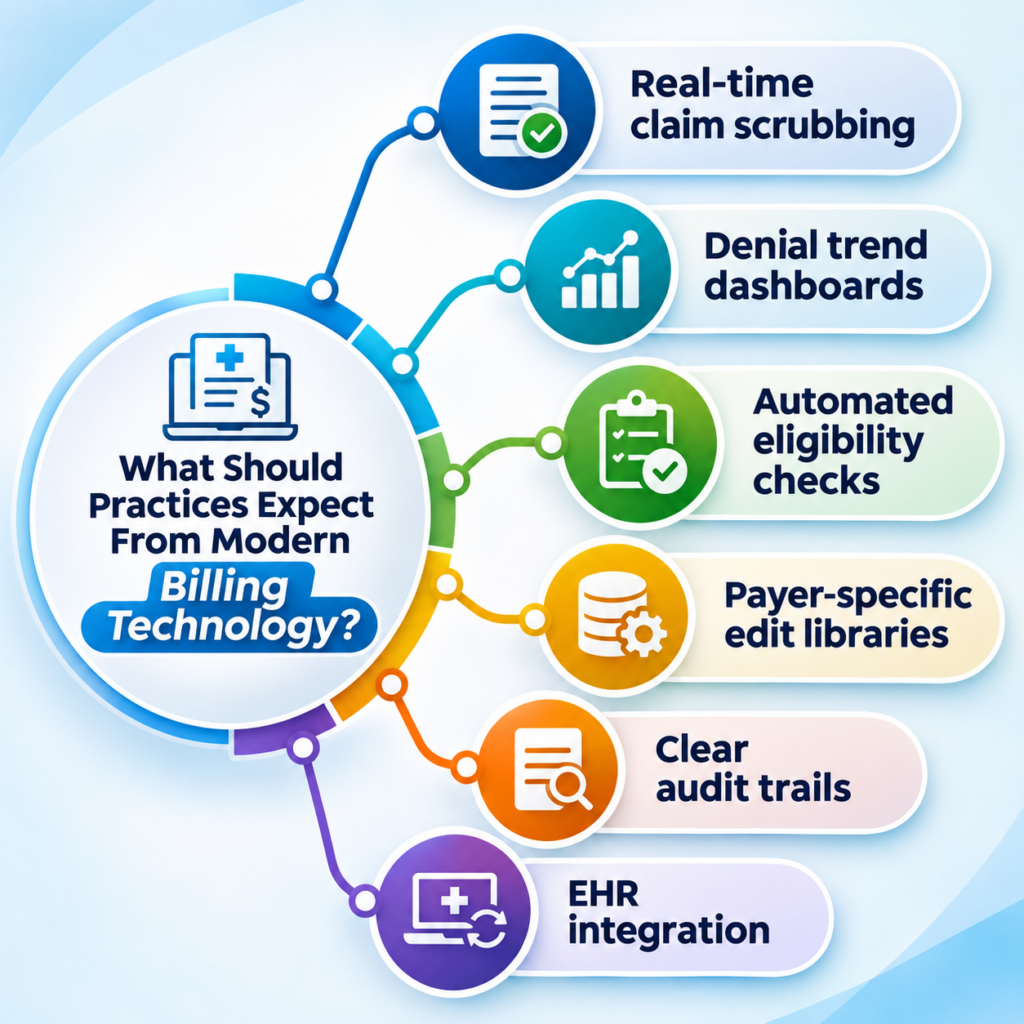
A medical billing software system should do more than store claims. It should help your staff identify problems early, resolve them quickly, and learn from every denial. A tool that only reports losses after they occur is not doing its job.

  • Real-time claim scrubbing
  • Denial trend dashboards
  • Automated eligibility checks
  • Payer-specific edit libraries
  • Clear audit trails
  • EHR integration

How ReLi Med Solutions Supports Better Healthcare Billing Workflows

ReLi Med Solutions operates as a medical billing agency that pairs certified billing specialists with practical technology. The objective is straightforward: fewer surprises between the patient encounter and payment posting. We don’t wait for denials to show up and then scramble. Our team checks claims at every step, so most problems get caught before a payer ever sees them.

  • Pre-submission claim reviews
  • Denial root-cause tracking
  • Payer-specific coding guidance
  • Timely follow-up on unpaid claims
  • Transparent performance reporting

Clean claims don’t happen by accident. They come from a steady process that your staff and ours follow every day. Whether you run a single-provider clinic or a growing multi-speciality group, the approach scales with your claim volume and payer mix.

Ready to cut denials and get paid faster? Call ReLi Med Solutions at (919) 896-8974 or email sales@relimedsolutions.com today.

Frequently Asked Questions

1. Can medical billing coding software identify payer-specific claim errors?

Yes, most of the good ones can. The software checks each claim against what the payer requires, such as modifiers, bundling rules, and documentation. If something doesn’t match, it flags the claim before you send it. How well it works depends on one thing: whether the vendor keeps those payer rules up to date.

2. What is the role of denial analytics in revenue cycle management?

It tells you why claims are being denied, not only how many. When you sort denials by payer, CPT code, or provider, the pattern usually points to one fixable cause. Fix that, and you get paid faster and write off less.

3. How can outpatient practices reduce repeated claim rework?

Get the front end right. Confirm eligibility at check-in, collect complete patient and insurance details, and run every claim through a scrubber before it goes out. Then review denial reports on a set schedule so the same error does not recur. Partnering with an experienced medical billing agency can accelerate that process.
Categories
Uncategorized

Automated Insurance Verification in the USA: Handling Insurance Changes During Referral and Specialist Visits

A referral may be complete and accurate on the day it is issued. If the patient changes employers before the specialist visit and a new plan takes effect, the specialist’s office may only learn of it at check-in. At that point, the appointment may need to be rescheduled, the claim may be denied, or the patient may receive an unexpected bill. Practices that confirm coverage details before the patient reaches the specialist avoid most of these problems. This article explains how.

Why Coverage Changes Between a Referral and the Specialist Visit

Several weeks can pass between the date a referral is placed and the date the patient is seen. During that time, any of the following can occur:

  • A new employer plan or insurance carrier. Job changes and open enrollment are the most common causes.
  • A different member ID or group number. Even with the same insurer, a plan renewal can result in new identifiers.
  • A change in plan type. Moving from a PPO to an HMO, for example, may introduce referral requirements that did not apply before.
  • The specialist is outside the new network. A provider covered under the previous plan may be out-of-network under the new one.
  • New prior authorization requirements. Some plans will not cover a specialist visit unless authorization is on file.

Any one of these can result in a denied claim if it is not identified before the appointment.

How Automated Insurance Verification in the USA Flags Changes Before the Visit

Verifying coverage manually by phone or payer portal is manageable for a small number of referrals, but it becomes inefficient as volume grows. Automated insurance verification in the USA runs the eligibility check electronically and returns results within moments, which frees staff from lengthy payer calls. In a referral workflow, automated verification allows your team to:

  • Confirm that coverage is active on the date of the specialist appointment, not only on the date of referral.
  • Identify a changed member ID or payer before the patient is scheduled.
  • Review the copay, deductible and referral requirements that apply to the specialist’s service.
  • Detect missing or mismatched demographic information that could cause a claim rejection.
  • Provide accurate details to the billing team, which supports more reliable Medical Billing Insurance Verification.

What to Do When a Patient Reports New Insurance

Technology can flag discrepancies, but staff still need a defined process for responding to them. A practical workflow includes the following steps:

  1. Ask at every touchpoint. During scheduling and check-in, ask whether the patient’s coverage has changed.
  2. Collect the new insurance card. Obtain a copy of the front and back, and update the patient’s record immediately.
  3. Repeat medical insurance verification. Do not rely on earlier results, as they apply to a plan the patient may no longer hold.
  4. Review referral and authorization requirements. If the new plan requires its own referral or authorization, begin that request right away.
  5. Notify the specialist’s office. Send the updated insurance details with the referral so the specialist is not working from outdated information.
  6. Inform the billing team. This ensures claims are submitted to the correct payer.

Where EMR Systems and Cloud-Based Platforms Fit In

Verification results are only useful if everyone involved can access them. When insurance details are kept in separate spreadsheets or email threads, the same information is entered repeatedly, and errors become more likely.

Modern EMR Systems store demographics, insurance details and referral records in a single patient chart. A Cloud based EMR extends this further by allowing front desk staff, referral coordinators, billers and providers to work from the same current record across locations. When verification is integrated with the EMR and practice management software, a coverage update entered once is reflected wherever it is needed.

Frequently Asked Questions

1. What if a patient’s coverage ends the day before the specialist visit?
Eligibility should be checked again shortly before the appointment. If coverage has lapsed, the practice can request updated details from the patient, reschedule, or discuss self-pay options before the visit rather than after.

2. How early should verification be completed before a specialist appointment?
Many practices verify when the appointment is booked and again one to two days before the visit. The second check identifies any changes that occurred in the interim.

3. What should staff do if a patient has two active plans?
Verify both plans and confirm which is primary. Billing the wrong payer first is a common cause of delayed payment, so coordination of benefits should be resolved before the claim is submitted.

4. Can a patient still be seen if verification returns an error or no response?
An error often indicates a data mismatch, such as a misspelt name or an incorrect date of birth, or a temporary payer system issue. Staff should compare the details with the patient’s card, retry the check, and contact the payer if the issue persists before deciding whether to proceed with the visit.

Keep Referrals on Track With ReLi Med Solutions

An insurance change should not delay a patient’s access to care. ReLi Med Solutions provides integrated EMR, practice management and revenue cycle management solutions that help your team verify coverage, track referrals, and maintain accurate billing information. Contact ReLi Med Solutions to learn how these tools can support your practice.

Categories
Uncategorized

Electronic Healthcare Record System in the USA: What Physicians Should Know Before Replacing Their Existing EHR

Picture a busy Monday morning. The waiting room is full, and one patient chart is still loading. Meanwhile, your billing team is asking for the same missing details again. Does that sound familiar? If so, your software may be the problem. Switching feels like a big job. But a slow system costs you time every single day. So let’s look at how to decide and how to pick the right electronic healthcare record system in the USA.

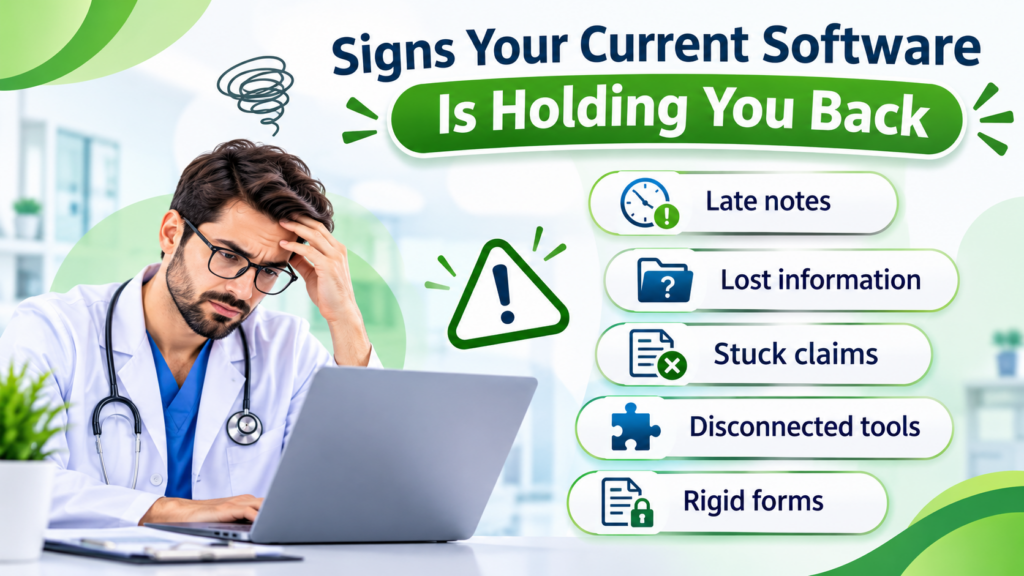
Signs Your Current Software Is Holding You Back

Most practices outgrow their first system. More patients and more staff put pressure on tools that once felt fine. Here are the warning signs:

  • Late notes: Doctors finish charting after clinic hours.
  • Lost information: Staff click through many screens to find one result.
  • Stuck claims: Billing can’t pull the data it needs, so payments arrive late.
  • Disconnected tools: Labs and prescriptions live in separate places.
  • Rigid forms: Templates don’t match how your speciality works.

One bad week is normal. However, if these problems keep returning, start comparing EHR systems.

Look Past the Feature List

Vendors love long feature lists. But a long list doesn’t make daily work easier. Instead, ask how each tool fits your clinic’s routine. Strong Medical Record Software should give you:

  • Quick charting: A doctor can finish a note in minutes.
  • Custom templates: Each speciality gets its own layout.
  • Built-in billing: Claims, payments, and insurance sit in one place.
  • Solid security: Access controls, encryption, and backups come standard.
  • Real support: Someone answers when your staff gets stuck.

Better still, ask two or three team members to test it for a week. They will find problems a sales demo never shows.

Why EHR Integration Matters

Imagine typing the same patient details into three programs. It wastes time. It also leads to errors. Good EHR integration fixes this. Data moves between tools on its own, so staff type less and find more. Check whether the system connects with:

  • Lab and diagnostics software
  • Pharmacy and e-prescribing tools
  • Billing and practice management platforms
  • Patient portals and telehealth
  • Health information exchanges

Is a Cloud Based EHR System Right for You?

A cloud-based EHR system stores records online. Authorised users can open them from approved devices and places. That helps when several providers share one clinic.

Still, the cloud has trade-offs. Your internet must be dependable. You also need clear rules for data security, backups, user access, and monthly fees. Ask each vendor about these before you sign.

What Small Clinics Really Need

A small clinic isn’t a mini hospital. You don’t need every advanced tool. So when you compare EHR systems for small practices, focus on the basics:

  • Simple patient registration and charting
  • Scheduling and billing
  • Pricing you can understand
  • The integrations you actually use
  • Room to add features later

Paying for unused extras only drains your budget.

Plan the Move Before You Make It

Even a great system fails without a good rollout. So take these steps first:

  • Decide which patient records must transfer
  • Confirm that older notes stay accessible
  • Train every doctor and staff member
  • Run test appointments and test claims
  • Get vendor support during the first weeks

With a clear plan, choosing an electronic healthcare record system in the USA becomes far less stressful. Your team adjusts faster, too.

ReLi Med Solutions offers EMR and practice management tools for charting, billing, scheduling, reporting, and integrations. Practices can choose cloud-based or in-house deployment.

FAQs

1. How do I know my practice has outgrown its EHR, and not just a bad week?

Track it for two weeks. Note how often charts load slowly, notes spill into evenings, and claims get stuck. If the same problems show up most days, your system is the cause. In that case, start comparing new electronic healthcare record system in the USA.

2. What happens to my old patient notes when I switch?

It depends on the vendor and your data format. So ask early how records transfer, what stays searchable, and whether old notes can be viewed in read-only form. Also, request a small test migration before the full move.

3. Why do small clinics struggle with big, complex software?

Because they pay for features they rarely open, and they train staff on tools they never need. That’s why EHR systems for small practices should stay simple, with clear pricing and room to grow.

Categories
Uncategorized

Patient Engagement Portal in the USA: Managing Patient-Generated Health Data in Outpatient Care 

Picture a 15-minute visit. The patient’s blood pressure looks fine in your clinic. At home, though, it has been running high for three weeks, and nobody on your team knew. This gap is why more physicians are looking at a patient engagement portal in the USA. It gives patients an organised way to send you what happens between appointments, and it doesn’t have to add hours to your staff’s week.

Patient Engagement Portal in the USA: Why Physicians Are Paying Attention to Home Health Data?

Patient-generated health data (PGHD) is information patients record on their own, outside your clinic. It usually comes from home monitors, wearables, and health apps. Typical examples:

  • Home blood pressure and blood sugar readings
  • Heart rate, sleep, and activity data from fitness trackers
  • Weight changes and symptoms logged in an app
  • Medication changes and side effects
  • Recovery notes after an outpatient procedure

One clinic reading is a snapshot. A few weeks of home readings show a trend, and trends are often what change a treatment decision.

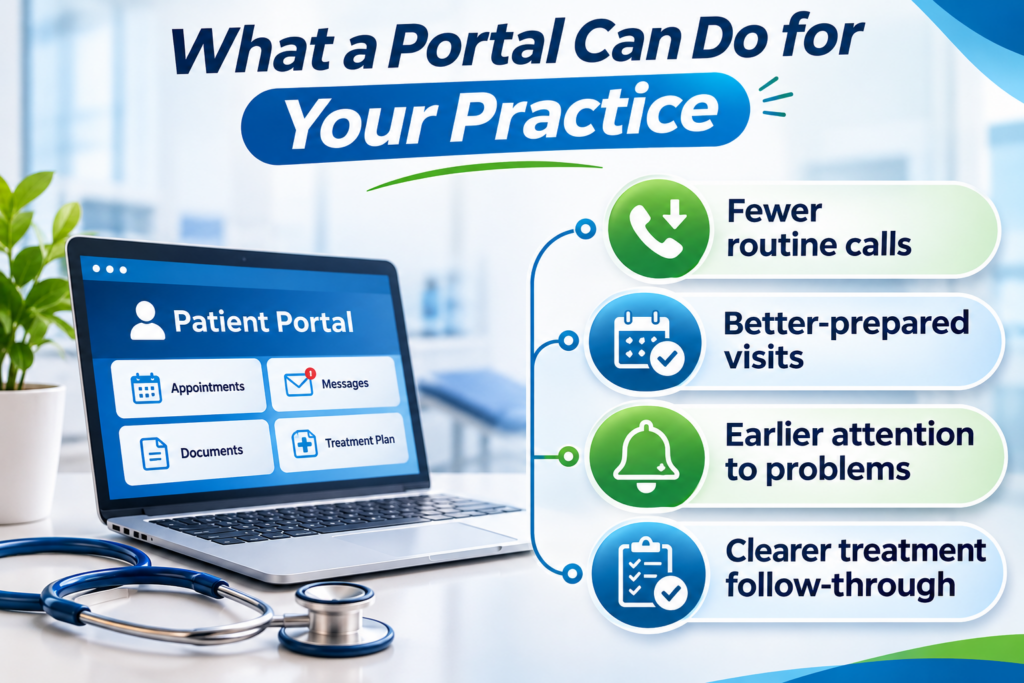
What a Portal Can Do for Your Practice?

A good portal isn’t only a convenience for patients. It takes pressure off your clinic in a few practical ways:

  • Fewer routine calls: Patients can send readings, ask follow-up questions, and check test results without phoning the front desk.
  • Better-prepared visits: You can look at home data before the patient arrives, so the appointment starts with decisions instead of data collection.
  • Earlier attention to problems: Worsening readings or new symptoms can reach your team before the next scheduled visit.
  • Clearer treatment follow-through: Patients can report how they’re taking their medications, so adherence problems surface sooner.

None of this helps if the data just piles up. That’s why setup matters.

Setting Up a Review Process Your Team Can Sustain

The biggest risk with patient-submitted data usually isn’t the technology. It’s unclear ownership. If patients send readings and nobody knows who looks at them, the portal becomes a liability.

Settle these points before launch:

  • Who reviews submissions: A nurse or care coordinator often handles this, with flagged items escalated to the physician.
  • How often: Pick a fixed window, such as every business day, and tell patients what it is.
  • What counts as urgent: Write down the thresholds that trigger a call, and make sure patients know the portal isn’t for emergencies.
  • What you’ll accept: Begin with conditions you already manage, like hypertension, diabetes, or post-procedure recovery. Widen the scope later.

A cloud-based patient management system can support this work. It can sort submissions by date and type, route tasks to the right team member, and give authorised staff access to what they need. Once a clinician has reviewed an update, a patient record management system can file it with the rest of the chart. Before a consultation, you open one record, not several sources.

From Patient Update to Follow-Up Visit

Some updates need a reply. Others need an appointment. Recurring symptoms may call for a consultation, and a post-surgery patient who reports something unusual may need to come in sooner than planned.

When patient scheduling software is connected to the portal, patients can request visits, see open slots, and manage their own appointments. Your front desk makes fewer calls to book or move visits, and patients who need attention get in faster.

Medical records should sit in the same workflow. When you review a new reading, you can compare it with earlier visits, past results, and the current treatment plan without switching systems. Patients also stop repeating their history at every visit.

Protecting Patient Data and Your Practice

Your patients trust you with what they share, so put security on your checklist before you pick any platform. Look for:

  • Role-based access: Staff see only what their role requires.
  • Data encryption: Information is protected in storage and in transit.
  • Patient authentication: Verification steps reduce unauthorised logins.
  • Audit trails: Every access or change to a record is logged.
  • HIPAA safeguards: Controls that help your practice meet applicable privacy and security rules.

Where to Start

You don’t need to launch everything at once. Many clinics begin with one condition and one or two staff members handling reviews, then expand once the process runs smoothly. Choose the patients whose between-visit data would change your decisions the most, and build from there.

ReLi Med Solutions works with outpatient practices to connect patient communication, scheduling, and record management in one workflow. That way, home health data supports your clinical decisions instead of becoming another inbox to manage.

FAQs

1. How do I keep patient-submitted data from becoming extra work for my staff?
Give one person, usually a nurse or care coordinator, the job of reviewing submissions in a set time window. Limit what you accept at first, such as home blood pressure or glucose readings, and define clear thresholds for escalating something to you.

2. Am I liable if a patient submits a concerning reading and it isn’t reviewed right away?
That depends on your state and your own policies, so check with your legal counsel. In practice, you reduce risk by telling patients your review timeline, stating that the portal isn’t for emergencies, and giving them a number to call when something feels urgent.

3. What should I check with a vendor before adding a portal to my clinic?
How data is encrypted and how submissions reach your chart. Also ask which devices or apps they support, how scheduling connects, and how you can export your data if you ever switch systems.

Categories
Uncategorized

Cloud Based Practice Management System: What Should Clinics Check Before Renewal?

Renewal season is a good time to ask yourself something simple: is your current system still making daily work easier, or has it become another thing your team has to work around?

A lot of clinics renew their cloud based practice management system without looking too closely at it. The contract date comes up, the invoice arrives, and someone signs the renewal. But workflows change. You may be seeing more patients, handling more payers, dealing with new billing rules, or managing staff who need different tools than they did a year ago.

Before you sign again, take a little time to see whether the cloud based system is still doing its job.

Is the System Still Working for Your Team?

Ask the people who use it every day. Your front desk, billing staff, and clinical team will usually tell you quickly where things get stuck.

Ask about scheduling, check-in, insurance verification, documentation, claims, and reporting. If they are exporting data to spreadsheets, entering the same information twice, or finding ways around the system, that tells you something.

A good cloud based EMR system should keep patient records, appointments, clinical notes, and billing connected. When information flows properly, staff spend less time fixing mistakes and more time doing the work they were hired to do.

Are You Paying More Than You Realize?

The monthly fee is just one line on the bill. Before you renew, ask the vendor for a complete breakdown of what each charge covers. Plenty of clinics discover the extra costs only after signing. A plan that seemed cheap in the demo can get pricey once the add-ons stack up.

Here’s what to look for:

User and Provider Fees: Find out whether the price rises with every new provider or staff login.

Location Charges: A second or third office may be billed separately.

Support and Training: Some vendors charge for help calls and onboarding sessions.

Storage and Backups: Ask how much data is included and what happens when you go over.

Claim and Clearinghouse Fees: Per-claim costs can climb quickly in a busy practice.

Integrations and Add-Ons: Connecting other tools or adding modules often costs extra.

Post-Renewal Increases: Ask whether the price is set to go up once your new term starts.

Get the vendor to explain the pricing in plain words. You should know exactly which features come with your plan and which ones are billed on top.

What Happens When You Need Help?

Good software is not enough if support is slow or hard to reach. When something breaks, you need answers quickly, not a ticket that sits unanswered for days.

Before renewing your cloud based practice management system, ask:

How fast does the vendor respond to support requests?

Do support staff understand billing and clinical workflows?

How do they handle downtime or technical problems?

What backup and security procedures are in place?

Do they provide training when updates or new features are released?

A small issue that stays unresolved can affect appointments, billing, and patient care. Support quality matters just as much as the features on the sales page.

Will a Cloud-Based Practice Management System Still Fit Next Year?

Your clinic may not look the same next year. You might add a provider, open another location, bring in a new specialty, or change how you handle billing. Before signing again, make sure your cloud based medical practice management software can keep up. Ask whether it supports multiple providers and locations, handles the reporting you need, and connects with tools you already use, such as clearinghouses, labs, or patient communication platforms.

Planning ahead now is much easier than dealing with another system migration later.

What Should You Check Before You Sign?

Sit down with your team and go through a few practical questions:

Which features do staff use most?

Where are they still facing delays or repeated work?

Has performance been steady over the past year?

Are there support issues that were never fully resolved?

Have costs gone up since the last contract?

Are security, backups, and user access handled properly?

What new features or improvements come with the renewal?

These questions make the decision clearer. You either renew because the system is still working, or you start looking for something better.

Choose a System That Supports Your Clinic’s Growth

At ReLi Med Solutions, we help clinics review their workflows, reduce administrative burden, and choose technology that supports long-term growth. Our integrated EMR and practice-management platform keeps scheduling, documentation, billing, and reporting connected.

FAQs

  1. Can we switch cloud based medical practice management software without losing patient data?
    You can, as long as the move is planned well. Get the vendor to explain how your open claims, patient balances and appointment history will carry over, and ask for a trial import before you sign anything.
  2. What should we check in a cloud based practice management system contract before auto-renewal?
    Read the cancellation window first, because many contracts lock you in if you miss it by a few days. Then look at how much the price can go up each year, and whether the fee is charged per provider.
  3. How long does it take to implement a cloud based practice management system?
    For a small or mid-sized clinic, expect somewhere between two and six weeks. The biggest factors are how clean your existing data is and how quickly your staff can get through training.
  4. Does a cloud based EMR system support MIPS reporting and billing integration?
    Most of the well-known ones do, though how well they do it differs a lot. See it in a live demo, and check that it connects to your clearinghouse for eligibility checks and claim submission.
Categories
Uncategorized

Denial Management in Healthcare: Are You Fixing Denials or Just Repeating the Work? 

Every denied claim tells you something. Maybe the player needed a modifier. Maybe the insurance was not active. Or maybe the same billing mistake keeps showing up because your team fixes the claim but never fixes the process behind it. That is where many practices get stuck with denial management in healthcare. The team works hard, reworks claims, and clears the backlog. But a few weeks later, the same denials return. More work gets created, payments get delayed, and staff spend their day doing cleanup instead of moving claims forward.

Why Do the Same Denials Keep Coming Back?

A denial is not just a billing issue. It is a signal that something earlier in the revenue cycle needs attention. If your team keeps handling the same denials in RCM, the cause is often sitting before the claim ever reaches the payer. It could be incomplete patient details, unverified insurance, a coding mismatch, or documentation that doesn’t fully support the billed service.

Claim denial management Denial management in medical billing should not be about rushing resubmissions. It should be about finding the reason behind the denial and making sure it does not happen again. Say a payer keeps denying claims because prior authorization was missing. Appealing every claim will not solve it. The better fix is to confirm authorization requirements before the appointment or procedure, so the issue never reaches the claim stage.

What Should Your Team Track First?

Good claim denial management begins when you can actually see what is going wrong. Your billing team should be able to answer simple questions:

  • Which payers deny the most claims?
  • Which denial codes show up again and again?
  • Are the same staff members or workflows involved?
  • How long does it take to resolve a denial?
  • How much revenue is waiting because of unresolved claims?

Once you track this information, the pattern usually becomes clear. Maybe eligibility checks are inconsistent. Maybe documentation is missing key details. Maybe insurance information is being entered incorrectly at the front desk.

When you know the cause, you can fix it once instead of cleaning up the same problem every month.

How Can You Stop Denials Before They Start?

The most useful claim denials and solutions focus on catching errors before a claim ever goes out. A steady prevention workflow can look like this:

Check Eligibility: Confirm active coverage before every visit so surprises don’t show up weeks later.

Verify Authorizations: Make sure referrals, prior authorizations, and coverage limits are in place before the patient is seen.

Review Before Submitting: Look over codes and documentation once more before the claim is sent.

Follow Payer Rules
Each payer has its own billing quirks, so submit claims the way that payer expects.

Route Denials Fast
Get every denial to the right person right away so it doesn’t sit in a queue.

Watch Appeal Deadlines
Keep a running list of appeal dates and follow-ups so nothing expires.

Study Denial Trends
Look at patterns weekly or monthly to find repeat problems and fix them at the source.

Put together, denial handling becomes a routine your team can rely on instead of a daily scramble.

Can Your EMR Help You Catch Errors Early?

The right medical EMR software in USA practices can also make a noticeable difference. When scheduling, patient records, clinical notes, coding, and billing stay connected, there is less room for manual mistakes.

An integrated system can flag missing information, reduce duplicate entry, and help your team catch issues before a claim is submitted. Fewer errors going out means fewer denials coming back.

How Does Denial Management in Healthcare Improve Cash Flow?

Denial management in healthcare is not only about getting paid. It is about learning from every denied claim and using that information to improve the revenue cycle.

When practices review denial reports regularly, they can spot issues early, train staff where needed, and reduce repeat mistakes. Over time, that leads to cleaner claims, faster payments, and less unnecessary work for the billing team.

FAQs

1. What is a good claim denial rate for a medical practice?
Most billing teams aim for under 5% on first submission. If you’re running higher, look at registration, coding, and documentation first, because that’s where most problems start. Breaking denials down by payer and reason is a big part of denial management in healthcare.

2. What is the difference between a claim rejection and a claim denial?
A rejection never gets into the payer’s system. A typo in the member ID is enough to cause one, and you simply fix it and resend. A denial means the payer read the claim and said no, so you’ll need a corrected claim or an appeal.

3. Which denial codes do physicians see most often?
CO-16 (missing information), CO-50 (medical necessity), CO-197 (no prior authorization), and CO-29 (timely filing) come up the most. Sorting your denials by code shows where your process leaks, which is the quickest way to reduce denials in RCM.

4. How long do we have to appeal a denied claim?
Each payer sets its own window. Commercial plans often give 60 to 180 days, while Medicare redeterminations are due within 120 days. Good claim denial management means keeping an appeal calendar so deadlines don’t go unnoticed.

5. How does medical EMR software in USA help prevent denials?
When notes, codes, eligibility, and authorizations sit in one system, mismatches show up before the claim leaves. Your team fixes the problem upfront instead of reworking it after a denial. That’s the main benefit of reliable medical EMR software in USA practices.

ReLi Med Solutions: Your Partner in Denial Prevention

Avoidable denials mean repeat work, and ReLi Med Solutions helps practices cut it down. Our combined EMR and practice management platform simplifies billing, strengthens revenue cycle management, and gives you a clear view of your finances.

Categories
Uncategorized

Starting a Pilates Workout for Weight Loss After Months of Inactivity: Where to Begin

So, you have not worked out in months. Maybe work got crazy, maybe you just lost the habit, or maybe life simply happened. Now stairs feel harder, your back feels stiff, and the thought of “starting again” feels bigger than it should. If that sounds like you, do not start with intense cardio or heavy gym sessions. A Pilates workout for weight loss is a much gentler way back in. It is easier on the joints, does not leave you sore for days, and honestly, it is way easier to stick with when you are returning after a long break.

Why a Pilates Workout for Weight Loss Actually Helps

Let us be real, a Pilates workout for weight loss will not change your body in a week. Nothing healthy will. What it does is build strength in the right places: your core, glutes, back, hips, and legs.

When these muscles get stronger, everyday movement feels easier. Your posture improves, your back complains less, and slowly, with sensible eating and regular walking, weight loss starts to follow. That is why a Pilates workout for weight loss works best when it is done consistently, not perfectly.

Do Not Try to Make Up for Lost Time

This is where most people mess up. They feel guilty about the break, so they do a long, intense workout on day one. Two days later, they are sore, tired, and back on the couch.

Start small. Two or three sessions a week is enough. A mat, comfortable clothes, and a little floor space are all you need in the beginning.

You are not behind. You are just starting from where you are.

A Simple Routine to Begin With

Keep the first few weeks basic:

  • Pelvic tilts to wake up the core
  • Glute bridges for hips and glutes
  • The hundred for breathing and abdominal control
  • Single-leg stretches for lower-core strength
  • Side-lying leg lifts for hips and thighs
  • Cat-cow and gentle spine stretches for mobility

Move slowly. Breathe. If your neck strains or your back hurts, stop and modify the movement. Mild soreness after restarting is normal. Sharp pain is not something to push through. A simple Pilates workout for weight loss like this builds a strong base without overwhelming your body.

The Small Things That Actually Matter

Pilates works best when it becomes part of your week, not a one-time thing. Keep your mat where you can see it. Fix a time, even if it is just twenty minutes before dinner. Walk when you can, eat meals that keep you full, and sleep properly.

None of this is exciting, but it is what actually creates change. Weight loss rarely comes from one perfect workout. It comes from what you keep doing when motivation is low.

Why Women Often Stick With Pilates

Women Pilates is popular for a reason. It builds strength without making exercise feel intimidating, and it supports core control, flexibility, balance, and posture; things that often suffer after pregnancy, long work hours, or years at a desk.

There is also a mental side. The slow breathing and focused movement can calm a busy mind. Many women say Pilates feels less like punishment and more like time they are finally giving back to themselves.

Should You Join a Studio?

You can start at home, but searching for the Pilates studio near me is worth it if you are unsure about your form. A good instructor notices what you cannot, tight hips, weak core engagement, poor alignment and adjusts exercises for your body.

If you are in Delhi, look for Pilates classes Delhi that welcome beginners. Ask whether they offer small batches or personal sessions. A studio that focuses on technique and individual attention will help far more than one that just counts reps.

Ready to Restart?

You do not need to be fit before you begin. You begin so you can become stronger, more mobile, and more confident. The best Pilates routine is the one that meets your body where it is today and helps it improve steadily.

Book a beginner session at Excel Pilates and take the first honest step toward a stronger, healthier version of yourself.

FAQs

1. Can a Pilates workout for weight loss reduce belly fat?
A Pilates workout for weight loss strengthens the core and improves posture, but it cannot reduce fat from one area alone. Pair it with balanced meals and daily movement.

2. How often should a beginner do Pilates?
Two to three sessions a week is a good start. Increase gradually as your strength improves.

3. How do I choose the Pilates studio near me?
Look for the Pilates studio near me with beginner-friendly classes, qualified instructors, and small groups. Many Pilates classes Delhi also offer beginner mat sessions.

4. What is the best Pilates routine after months of inactivity?
The best Pilates routine is short, low-impact, and consistent. Start with basic mat exercises, focus on form, and progress slowly rather than chasing intensity.

Categories
Uncategorized

Medical Appointment Scheduling Software: Reducing Delays Between Appointments

Ever notice how one late appointment can throw off the entire day? The 9:00 a.m. visit runs long, the 9:15 patient is still waiting, and by noon the whole schedule is behind. It’s frustrating for everyone: staff, providers, and especially patients. But most delays don’t happen because your team is slow. They happen because the schedule doesn’t match what’s actually going on in the clinic. Medical appointment scheduling software helps fix that by keeping appointments, providers, and patient info connected in one place.

Why Delays Keep Building Up Between Appointments

A lot of clinics still juggle phone calls, paper notes, spreadsheets, and separate calendars. One person books a visit, someone else checks a provider’s availability, and nobody realizes the appointment is too short until the patient is already there.

Visit type matters too. A new patient, a follow-up, and a procedure don’t take the same amount of time. But if the calendar treats them all the same, delays are pretty much guaranteed.

A good Medical Appointment Scheduling Service helps by showing real openings across doctors, rooms, and locations. When something changes, staff can see it and adjust right away.

How medical appointment scheduling software helps

Good medical appointment scheduling software gives your team one clear view of the day. Instead of guessing whether a doctor is free or calling around to check, staff can see what’s open and what’s already booked.

It can help clinics:

  • Set different visit lengths for different appointment types
  • Keep the calendar updated when appointments change
  • Handle multiple doctors, offices, and rooms
  • Send reminders so patients show up on time
  • Fill canceled slots with waitlisted patients
  • Give front-desk staff more time for patients, not paperwork

Reminders can also nudge patients to confirm, cancel, or reschedule before the visit. That gives your team a heads-up instead of finding out at the last minute.

Connecting Scheduling With Patient Information

A schedule gets way more useful when it connects to your EMR and medical records. Staff can see a patient’s history, insurance details, and upcoming follow-ups before the visit, while providers can prep without jumping between systems.

It also makes follow-up care easier. If a patient needs a lab review, referral, or prescription renewal, that info stays connected to the visit instead of getting lost in a separate system.

How Can Clinics Keep Patient Information Safe While Scheduling?

Since appointment details often include private patient info, clinics should pick HIPAA scheduling software that keeps patient data safe without making daily work harder.

Things to check for:

  • Staff only see the info they need for their job
  • Patient details are kept private and secure
  • The system keeps a record of who did what
  • It works with your medical records and billing tools
  • You can set up calendars for different doctors, rooms, and visit types

Can a Schedule Stay Flexible When Plans Change?

Patients will still show up late, doctors will still have urgent cases, and last-minute changes will always happen. But the right patient appointment scheduling software can prevent most avoidable delays and make changes easier to handle when they do pop up.

The goal isn’t a perfect schedule. It’s a schedule your team can actually trust—one that shows accurate openings, keeps patients in the loop, and keeps patient info connected without extra manual work.

How Can Clinics Stop Letting Delays Pile Up?

Clinics don’t need more phone calls, spreadsheets, or apologies. They need a scheduling system that gives staff a clear view of the day and keeps appointments connected with the rest of the practice.

ReLi Med Solutions offers medical appointment scheduling software built to work with medical records, billing, and practice management tools, helping clinics cut delays, improve patient flow, and spend more time on actual patient care.

FAQs

1. Why do appointments keep running behind even though we have a schedule?

Most basic calendars show openings but don’t account for visit type, provider availability, or last-minute changes. Medical appointment scheduling software keeps it all in one place, so staff can spot problems before they pile up.

2. Can patients reschedule without calling the office?

Yes, Many systems include a patient portal that lets patients book, cancel, or reschedule visits online. That reduces call volume and makes cancellations easier to manage.

3. How does scheduling software help when a patient cancels last minute?

When a cancellation opens a slot, staff can quickly see the opening and reach out to waitlisted patients. Some systems can even send automatic messages, helping clinics fill empty appointment times before they turn into lost revenue.

4. Will scheduling software work if we have multiple doctors and locations? Yes. A solid Medical Appointment Scheduling Service can handle different doctors, offices, rooms, and appointment types from one place, with calendars you can set up for each location

Categories
Uncategorized

Cold Mornings, Warm Cups: Tea Blends to Welcome the Winter Season

Winter mornings feel different. The air turns cooler, blankets feel cosy, and a warm cup can make the day feel better. However, your winter drink can offer more than comfort. With the right herbs and spices, it can become a simple part of your daily routine. That’s where tea blends fit naturally into your morning or evening ritual. From warming ginger and cinnamon to fresh tulsi and green tea, each cup brings its own flavour and character. So, if you want simple ways to enjoy Ayurvedic Wellness, a thoughtful cup of herbal tea can be a lovely start.

Warming Flavours That Define Winter Tea

Winter is the perfect time to enjoy warm, rich, and comforting flavours. Moreover, traditional herbs and spices can make a simple cup feel more special. Each ingredient brings a different taste, aroma, and character to your winter routine.

Here are some warming flavours to look for:

  • Ginger: Adds a naturally warm and slightly spicy taste to your cup.
  • Cinnamon: Brings a sweet, woody aroma that feels perfect on chilly mornings.
  • Cardamom: Adds gentle sweetness and a refreshing fragrance.
  • Black Pepper: Gives masala tea a bold, warming touch.
  • Tulsi: Offers a fresh herbal flavour and works well with green tea.
  • Green Tea: Provides a lighter, refreshing option for people who prefer a mild cup.

Therefore, choosing the right combination can make your winter tea routine both enjoyable and varied. These ingredients also help give different tea blends their own unique taste and aroma.

Winter Tea Blends to Explore From Akshi’s Butterfly Ayurveda

Akshi’s Butterfly Ayurveda offers different options for people who enjoy traditional herbs and comforting flavours. These tea blends bring together familiar ingredients in convenient formats for everyday use.

  • Desi Masala Chai – Tea for Boosting Immunity & Digestion
    • Made with Assam CTC black tea, ginger, cardamom, cinnamon, and black pepper.
    • It has a bold, spicy flavour with a soothing aroma.
    • The product information highlights digestion support, cold discomfort, sore throat, and bloating.
    • Brew it in hot water for about two minutes, then add milk and sugar if you like.
  • Weight Wellness Herbal Blend – A Light, Caffeine-Free Infusion
    • This blend combines Garcinia Cambogia, Punarnava, Chitrak, and dry ginger.
    • It offers a tangy, dry-ginger flavour and suits a caffeine-free routine.
    • The product information notes traditional uses related to digestion, inflammation, menstrual discomfort, and Vata-Kapha balance.
    • Steep one infusion bag in hot water for around two minutes, then add lemon or sugar if preferred.
  • Tulsi Green Herbal Tea – Freshness in Every Sip
    • This blend combines Darjeeling green tea leaves with dried tulsi leaves.
    • It has a mildly astringent flavour and a refreshing aroma.
    • The product information highlights antioxidants, metabolism support, and traditional use for cough and cold.
    • Brew it for about two minutes and add milk or sugar according to your taste.
  • Tea Potpourri – A Handy Traveler’s Tea-Kit
    • This collection includes Tulsi Green Tea, Ginger Black Tea, Cardamom Black Tea, and Desi Masala Chai.
    • Each box contains 20 assorted tea bags, with five bags of each variety.
    • Therefore, you can enjoy a different flavour instead of drinking the same tea every day.
    • It’s a practical Tea Collection for travel, work, or weekend mornings.

Tea Blends That Complement Your Winter Routine

Your tea choice can change naturally as your day moves from morning to night. So, instead of drinking the same cup throughout the day, you can choose tea blends that suit each moment.

Morning – Start With a Warm and Spicy Cup

Cold mornings call for something warm and comforting. Desi Masala Chai can fit well here because ginger, cinnamon, cardamom, and black pepper create a bold flavour. Moreover, the familiar masala aroma can make your morning tea feel warm and inviting.

Afternoon – Keep It Light and Refreshing

By afternoon, you may prefer something lighter. Tulsi Green Herbal Tea offers a fresh herbal taste with Darjeeling green tea leaves. Therefore, it can be a refreshing choice during an office break or a quiet afternoon at home.

Evening – Enjoy a Relaxing Herbal Infusion

As the day slows down, a caffeine-free option can feel appealing. Weight Wellness Herbal Blend combines herbs and dry ginger for a warm, tangy flavour. So, it can add variety to your evening routine while giving you a comforting herbal drink.

Night – Keep Your Tea Routine Simple

At night, focus on a drink that feels comfortable and easy to enjoy. Depending on your personal routine, you can choose a caffeine-free herbal option and keep the serving light. Most importantly, enjoy your cup slowly instead of treating it as just another task.

For people exploring Wellness Teas in Delhi, these choices make familiar Indian herbs easy to include in everyday life. Above all, choose flavours you genuinely enjoy because a daily wellness habit works best when it feels simple.

FAQs

What makes a winter tea blend different from regular tea?

Winter-friendly options often include warming ingredients such as ginger, cinnamon, cardamom, and black pepper. These ingredients create rich flavours and aromas that naturally suit colder days.

Which option works well for travel?

Tea Potpourri offers four varieties in one compact collection. As a result, you can carry different flavours without packing several separate boxes.

How should I store herbal tea at home?

Keep the pack in a cool, dry place and protect it from direct sunlight. This simple step helps maintain the tea’s quality and flavour.

Welcome Winter With Akshi’s Butterfly Ayurveda Tea

A warm cup can turn an ordinary winter moment into a small daily ritual. So, explore flavours that match your taste, routine, and comfort. From classic spices to fresh herbs, Akshi’s Butterfly Ayurveda brings together options for easy everyday brewing. Discover a Healthy Tea choice, explore Ayurvedic Tea flavours, and make your winter tea time a little more enjoyable.

Categories
Uncategorized

Think Vegan Desserts Are Boring? These Delicious Options Will Change Your Mind

Many people think desserts without dairy or eggs cannot be delicious. However, Vegan Desserts are changing this thought with rich flavours, natural ingredients, and creative recipes. Also, plant-based desserts can be soft, tasty, and satisfying. Therefore, choosing healthier desserts does not mean compromising on taste.

Today, more people are looking for desserts that match their healthy lifestyle. So, natural ingredients, fresh fruits, and mindful recipes are becoming popular choices for dessert lovers.

The Secret Behind Why Vegan Desserts Taste So Good

The magic of delicious desserts comes from simple and natural ingredients. Moreover, the right combination of flavours creates a perfect balance of taste and nutrition.

  • Natural Sweeteners: Ingredients like jaggery and fruits add sweetness with a rich natural flavour.
  • Fresh Fruits: Seasonal fruits provide freshness, colour, vitamins, and amazing taste.
  • Nuts & Seeds: Walnuts and other nuts add crunch along with healthy fats.
  • Alternative Flours: Ragi, millet, and gluten-free flours make desserts light and wholesome.
  • Plant-Based Ingredients: These create smooth textures without using dairy products.

Also, a Healthy Bakery focuses on fresh recipes that support better food choices. As a result, desserts become more enjoyable and nourishing.

From Simple Ingredients to Vegan Desserts

Simple ingredients can create extraordinary flavours. Moreover, every dessert has its own unique taste and health benefits.

Banana Cake – A Naturally Sweet Gluten-Free Delight

A soft cake with fruity sweetness and a nutty twist.

  • Made with banana puree, ragi, walnuts, and water-chestnut flour.
  • Offers a perfect balance of sweetness and nuttiness.
  • Gluten-free and easy to enjoy.
  • Rich in vitamin C and vitamin A.
  • Supports immunity and overall wellness.
Walnut Cake – A Crunchy Treat Full of Goodness

A delicious dessert with a rich nutty flavour.

  • Prepared with nutrient-rich walnuts.
  • Adds a smooth texture and crunchy taste.
  • Contains healthy fats that support heart health.
  • Makes every bite more flavourful and satisfying.
Plum Cake – A Fruity Dessert Packed With Flavours

A rich fruit cake with a unique taste and aroma.

  • Made with prunes, cranberries, and apricots.
  • Comes with a mild hint of rum flavour.
  • Provides antioxidants for better wellness.
  • Supports gut health and heart health.
Mango Magic – A Slice of Summer Bliss

A refreshing dessert featuring the king of fruits—Mango.

  • Made with fresh mango flavours.
  • Offers a naturally sweet and fruity taste.
  • Rich in vitamin C and vitamin A.
  • Supports immunity and healthy skin.
Beetroot Cake – A Fudgy Dessert With Natural Benefits

A colourful dessert with a rich and moist texture.

  • Made with beetroot, coconut, and jaggery.
  • Creates a soft and fudgy cake experience.
  • Provides iron and supports energy levels.
  • Helps maintain healthy blood pressure.
  • Contains antioxidant properties.
  • Ask for vegan option.

Millet Treats – Wholesome Bites For Healthy Choices

A naturally sweet dessert made with nutritious grains.

  • Prepared with bajra, ragi, jowar flour, khand, and elaichi powder.
  • Rich in fibre and supports digestion.
  • Suitable for weight-conscious choices.
  • Supports blood pressure management.
  • A diabetic-friendly dessert option.
  • Supports cardiovascular health.

These creative Vegan Desserts show that healthy ingredients can create delicious and exciting dessert experiences.

The Secret Ingredients Behind Our Delicious Vegan Creations

Every dessert is created with carefully selected ingredients. Therefore, each recipe delivers a perfect combination of taste and wellness.

  • Ragi and Millet Flours: Add fibre and make desserts more wholesome.
  • Coconut: Provides a creamy texture and natural richness.
  • Jaggery: Adds traditional sweetness with a deep flavour.
  • Fresh Fruits: Bring natural taste, freshness, and essential nutrients.
  • Nuts: Add crunch and make desserts more filling.

Additionally, an Ayurvedic Dessert approach focuses on natural ingredients and mindful eating habits. These choices make Vegan Desserts a great option for people who enjoy healthy and tasty treats.

Frequently Asked Questions About Vegan Desserts

1. Which Vegan Dessert dishes can I try at Café Swasthya?

You can enjoy options like Banana Cake, Plum Cake, Mango Magic, Beetroot Cake, and Millet Treats.

2. What makes Café Swasthya’s desserts unique?

Each dessert combines natural ingredients, healthy recipes, and delicious flavours.

3. Which Vegan Dessert is best for a healthy sweet craving?

Millet Treats, Beetroot Cake, and fruit-based desserts are great mindful choices.

Ready to Change Your Mind About Vegan Desserts? Visit Us Today

Healthy desserts can be delicious, creative, and enjoyable. Moreover, the right place can make your dessert experience even better.

  • Enjoy freshly prepared desserts made with natural ingredients.
  • Explore unique flavours designed for health-conscious dessert lovers.
  • Experience a beautiful Aesthetic Cafe environment.
  • Try desserts inspired by an Ayurveda Menu.
  • Choose from tasty Healthy Desserts made with mindful recipes.
  • Discover delicious Vegan Desserts in Delhi with amazing flavours.

So, visit today and enjoy desserts that bring together taste, health, and creativity.

Located in the heart of Delhi, HS-37, Kailash Colony Market, Delhi 110048, this dessert destination offers fresh and creative options for people who love healthier choices. Also, the convenient location makes it easier to enjoy delicious desserts with friends and family.

Visit Café Swasthya today and explore amazing Vegan Desserts made with natural ingredients and mindful recipes.